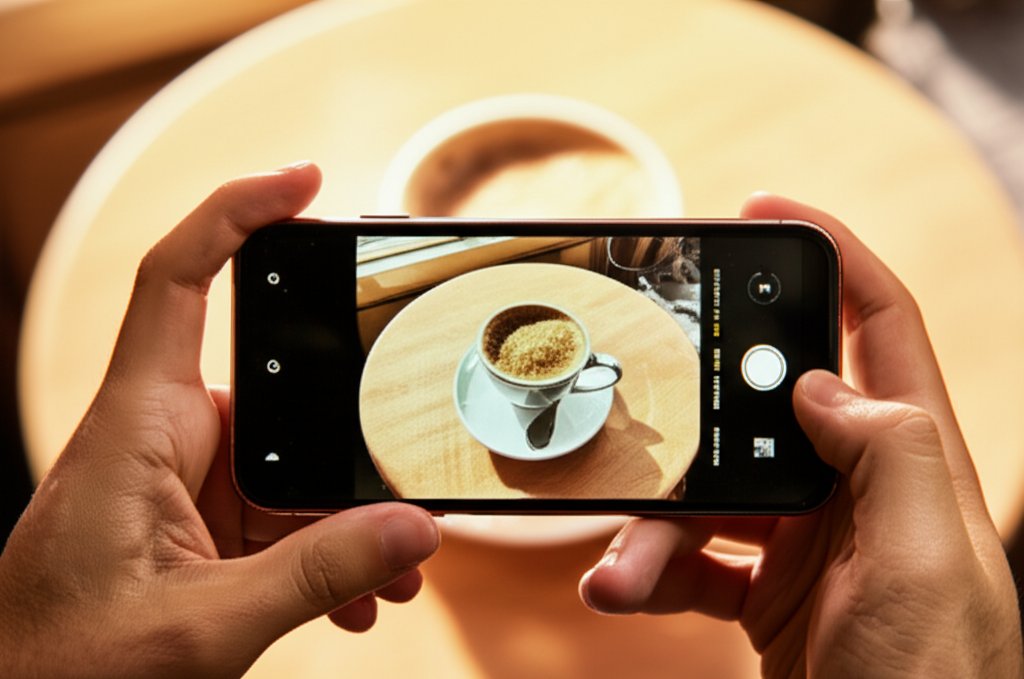
Let’s be honest. You’ve got this incredible piece of technology in your pocket – a smartphone that boasts an amazing camera, multiple lenses, and enough processing power to launch a small rocket. Yet, somehow, your photos often end up looking… well, like they were taken on a phone. Blurry, washed out, or just plain boring. We’ve all been there, haven’t we? It’s frustrating when your memories look less like art and more like an accident.
The marketing folks love to bang on about megapixels, don’t they? They’ll tell you bigger is always better. But here’s a little secret: megapixels are like the horsepower of a car. Important, yes, absolutely, but not the only thing that makes it a great ride. What really matters is how you drive it – or in this case, how you use your camera. And guess what? You absolutely don’t need professional photography skills, a fancy DSLR, or even a degree in optics to start taking genuinely stunning phone photos. We’re talking about unlocking the hidden potential of the camera you already own, with tips anyone can master.
I’m here to tell you that your phone is far more capable than you probably realize. Modern smartphones are packed with computational photography magic that handles the complex stuff for you. They intelligently stitch together multiple exposures, create artificial depth of field, and clean up noise in low light – all behind the scenes, without you lifting a finger. So, let’s dive in and elevate your mobile photography game from “meh” to “magnificent.” Prepare to surprise yourself (and your Instagram followers).
Beyond the Megapixels: How to Actually Take Better Phone Photos (No Pro Skills Needed!)
Forget the intimidating jargon and endless settings. We’re going to focus on the practical magic that turns everyday snapshots into scroll-stopping images. It’s simpler than you think.
Camera Settings Explained: Demystifying Your Phone’s Brain
While professional cameras give you granular, manual control over settings like ISO, aperture, and shutter speed, your smartphone camera is a remarkably smart cookie that handles most of this automatically. But understanding what these terms mean conceptually can help you make better decisions, even if your phone is doing the heavy lifting. Think of it as knowing why your car automatically shifts gears – you don’t need to do it yourself, but understanding the concept helps you drive smoother.
-
ISO: Your Camera’s Light Sensitivity. Imagine you’re in a dim room. To see better, you can open your eyes wider (like aperture) or make your eyes more sensitive to the tiny bits of light available. That’s ISO. A lower ISO (e.g., 100-200) means less sensitivity to light and typically less “grain” (digital noise) in your photos – ideal for bright conditions. A higher ISO (e.g., 800-3200+) is great for low light but can introduce more noise, making your photo look a bit “gritty” or pixelated. Your phone usually adjusts this automatically, but some “Pro” modes in camera apps let you tweak it. For us, knowing it’s about light sensitivity helps us understand why a bright scene is generally better for a cleaner, sharper shot. When it’s dark, your phone cranks up the ISO, which is why night photos can sometimes look a bit rough around the edges.
-
Aperture: The Pupil of Your Camera’s Eye. This controls how much light enters the lens. Think of it like your eye’s pupil dilating in the dark. A wider aperture (represented by a smaller f-number like f/1.8 or f/2.2) lets in more light and creates that lovely blurry background effect (called bokeh) that makes your subject pop. Your phone’s main lens usually has a fixed, wide aperture, which is why it often handles low light pretty well and can naturally give you some background blur. Portrait Mode on many phones simulates this effect beautifully using software, giving you that creamy background without needing a manual lens adjustment. It’s basically a clever trick to make your subject look like they’re in a magazine shoot.
-
Shutter Speed: How Long Your Camera Sees the Light. This is how long your camera’s sensor is exposed to light – the duration the “shutter” stays open. A fast shutter speed (e.g., 1/1000th of a second) freezes motion, perfect for action shots of your dog chasing a ball or kids mid-jump. A slow shutter speed (e.g., 1/30th of a second or longer) lets in more light but can cause blur if your subject (or phone!) moves. This is where tripod use becomes crucial. Your phone’s Night Mode often uses a slower shutter speed, combining multiple quick shots to create a brighter, sharper image in the dark without you needing to fuss with settings. It’s like your phone takes a burst of photos and mashes them together into one glorious, bright image.
The real magic for phone users often lies in simply tapping to focus and adjusting exposure. When you tap on your screen, you’re not just telling the camera what to focus on; you’re often telling it where to meter the light. A sun icon (or a slider) usually appears, allowing you to manually brighten or darken the shot. This is your primary control over exposure, and it’s incredibly powerful for ensuring your photo isn’t too dark or too blown out. Experiment with it – you’ll be amazed how much control you have!
Composition Techniques: The Art of Framing Your World
Composition is all about how you arrange elements within your frame. It’s what transforms a simple snapshot into a captivating image. And good news: it’s surprisingly easy to learn a few tricks that make a monumental difference!
-
The Rule of Thirds: Photography’s Golden Rule. This is probably the most famous compositional guideline for a reason. Imagine your screen divided by two horizontal and two vertical lines, creating nine equal squares (like a tic-tac-toe board). The idea is to place your subject or interesting elements along these lines or at their intersections, rather than dead-center. It creates a more balanced, dynamic, and engaging image. Most phone cameras have a gridline option in their settings – turn it on! It’s your visual guide to better composition. Visual example: Instead of a lone tree directly in the middle, place it along one of the vertical lines, with the horizon along a horizontal line. The difference in visual interest is immediate.
-
Leading Lines: Guiding the Eye. Look for natural or man-made lines in your environment (roads, fences, rivers, architectural elements, even shadows) that draw the viewer’s eye towards your main subject. They add depth, direction, and a sense of journey to your photos. Visual example: A winding path leading into a dense forest creates a sense of mystery and depth, guiding your gaze effortlessly to the heart of the scene.
-
Simplify the Background: Less is More. Clutter is the enemy of a strong photo. Before you shoot, take a quick peek around your subject. Is there anything distracting? A rogue lamppost, a messy pile of clothes, a busy pattern that competes for attention? Move your subject, move yourself, or change your angle slightly to create a cleaner, more impactful background. This keeps the focus squarely on what you want people to see. Your subject deserves to shine, not wrestle for attention.
-
Experiment with Angles: Break the Routine. We often shoot from eye-level, which is fine, but can be a bit boring. Get low (shoot from the ground up), get high (stand on a chair if it’s safe!), try shooting through something (a window pane, leaves), or even tilt your phone slightly for a Dutch angle (use sparingly!). A fresh perspective can transform an ordinary scene into something extraordinary. Don’t be afraid to look a little silly – your photos will thank you!
-
Framing: Using Your Environment. Look for natural frames within your shot – doorways, windows, tree branches, or even people’s arms. These elements can add context, depth, and draw the viewer’s eye directly to your main subject. It’s like putting a picture frame around your picture, within the picture itself.
Lighting Tips: Your Best Friend for Stunning Shots
Light is the absolute bedrock of photography. You can have the most interesting subject and perfect composition, but without good light, your photo will fall flat. And thankfully, the best light is often free and readily available – you just need to know where to find it.
-
Embrace Natural Light (Ditch the Flash!): Seriously, your phone’s built-in flash is usually awful. It creates harsh shadows, flat lighting, often gives people scary red-eye, and generally makes everything look worse. Unless you’re trying to create a specific, edgy, gritty effect (and you know what you’re doing), avoid it like stale bread. Instead, seek out natural light. It’s softer, more flattering, and far more dynamic.
-
Golden Hour: The Magic Window. This is the hour after sunrise and the hour before sunset. This light is soft, warm, and magical, casting long, flattering shadows. Everything looks good in golden hour light – people, landscapes, even your breakfast burrito. It’s truly a photographer’s dream, so if you can, schedule your outdoor photo ops for these times.
-
Window Light: Your Indoor Studio. Indoors, a window is your best friend. It acts like a giant softbox, providing diffused, flattering light that’s perfect for portraits or still life. Place your subject near a window, facing it for even, soft illumination, or with the light coming from the side for more dramatic shadows and texture. Visual example: Imagine a portrait shot with direct overhead indoor lighting – harsh shadows under eyes, flat features. Now, picture the same person by a large window, light streaming in softly, creating gentle highlights and shadows, making their face glow naturally.
-
Open Shade: Your Sunny Day Savior. On bright, sunny days, direct harsh sunlight creates ugly, defined shadows, blows out highlights, and causes subjects to squint uncomfortably. Instead, find open shade – under a tree, a building’s overhang, or a large umbrella – where the light is even, soft, and still abundant. This makes for much more pleasing portraits and avoids harsh contrast. It’s like finding a secret, perfectly lit studio outdoors.
-
Backlighting: A Touch of Drama. Position your subject between you and a light source (like the sun during golden hour, or a bright window). This creates a glowing outline around your subject, separating them from the background and adding a dramatic, ethereal feel. Just make sure to tap on your subject to ensure proper exposure and avoid them becoming a silhouette (unless that’s the look you’re going for!).
Step-by-Step Shoot: Getting it Right Before You Tap
Great photos aren’t just about tapping the shutter button. They start with a few simple preparatory steps and smart choices in the moment. Think of it as your pre-flight checklist for capturing awesome.
-
Clean Your Lens (Seriously!): This might seem ridiculously basic, but it’s probably the most common reason for hazy, blurry, or “dreamy” (not in a good way) photos. Your phone lives in your pocket, covered in fingerprints, dust, and who knows what else. Give that tiny lens a quick wipe with a microfiber cloth or even a clean corner of your shirt. You’ll be amazed at the difference! It’s the cheapest upgrade you can make.
-
Understand Your Phone’s Basic Camera Interface: Take a moment to explore your camera app. How do you switch between modes (Photo, Video, Portrait, Night)? Where are the gridlines? How do you adjust exposure? Knowing these basics saves you precious seconds when that perfect, fleeting moment strikes. Don’t be that person fumbling through menus while the magic happens.
-
Focus Like a Pro: Don’t just point and shoot. Tap on your screen where you want the focus to be. This tells your phone’s auto-focus system exactly what’s important. Often, a small sun icon will appear next to the focus box – slide it up or down to adjust the exposure (brightness). For tricky lighting, hold down your finger on the screen until “AE/AF Lock” appears. This locks both focus and exposure, so you can re-compose your shot without losing your settings. It’s like setting your camera exactly where you want it and telling it, “Stay there, buddy!”
-
Don’t Zoom, Move Your Feet!: Your phone likely has both optical and digital zoom. Optical zoom (like on phones with dedicated telephoto lenses, e.g., 2x or 3x zoom) uses actual glass elements to get closer without losing quality. Digital zoom, however, is just cropping in on your image and blowing it up, which instantly degrades quality and makes your photo look pixelated and muddy. If you want to get closer to your subject, physically move closer! It’s the simplest way to maintain sharpness and detail. Visual example: Compare a photo taken with 5x digital zoom (blurry, pixelated) to a photo taken by physically walking closer to achieve the same framing (sharp, detailed). The difference is night and day.
-
Keep it Steady: Avoiding Blurry Shots: Shaky hands are a photo’s worst enemy. Always hold your phone with two hands for maximum stability. Brace your elbows against your body. If possible, lean against a wall or railing. For truly steady shots, especially in low light or for long exposures, consider a small, inexpensive phone tripod or a gimbal – they’re game-changers and don’t cost an arm and a leg!
-
Explore Your Phone’s Built-in Modes: These aren’t just gimmicks; they’re powerful tools developed by smart engineers to make your life easier. Learn ’em, love ’em, use ’em!
-
Portrait Mode: Uses software to create a beautiful, blurred background (bokeh), making your subject stand out with a professional look. Perfect for people, pets, or close-up objects. Play with the intensity of the blur (often adjustable after the shot) to find your sweet spot!
-
Night Mode: Modern night modes are incredible. They take multiple shots at different exposures and combine them into one bright, detailed image, even in very dim conditions. Hold your phone as steady as possible during the capture process, as it often takes a few seconds to work its magic. The results can be truly astonishing, turning pitch-black scenes into surprisingly well-exposed photos.
-
Panorama: Stitch together multiple photos for a super-wide vista, perfect for landscapes or tall buildings. Keep your movement slow and steady in a straight line for the best results, avoiding jerky movements that can create “ghosting” or jagged lines.
-
Burst Mode: Many phones have a burst mode (often by holding down the shutter button) that takes a rapid series of photos. This is fantastic for capturing action or ensuring you get that one perfect expression from a group of friends. You can then pick the best one and delete the rest.
-
Post-Processing Workflow: The Magic of Editing
I’ve got a confession: almost every professional photo you see, from magazine covers to Instagram feeds, has been edited. It’s not cheating; it’s enhancing. It’s the final polish that turns a good photo into a great one. And your phone’s built-in tools are surprisingly robust and incredibly user-friendly.
-
Why Even Simple Edits Make a Big Difference: Editing allows you to correct minor flaws (like a crooked horizon), enhance colors, refine composition, and truly make your vision come to life. It’s the final 5% that gives your photos that professional “pop.” Think of it as adding seasoning to a well-cooked meal – it just brings out the flavor.
-
Your Phone’s Built-in Editing Tools are Your Friend: Don’t underestimate them! They’re designed for quick, effective tweaks.
-
Cropping: Reframe your photo to improve composition, eliminate distracting elements, or apply the Rule of Thirds more effectively. Don’t be afraid to cut out unnecessary clutter!
-
Straightening: A wonky horizon can ruin an otherwise great shot. Use the straighten tool to level things out. Most apps even have automatic suggestions.
-
Brightness, Contrast, Saturation: These are your core adjustments. Brightness lightens or darkens the overall image. Contrast adds punch by making darks darker and lights lighter, giving photos more definition. Saturation intensifies or desaturates colors. Use them subtly! A little goes a long way. Over-saturating can make photos look artificial and garish.
-
Shadows & Highlights: These are crucial for bringing out detail. Shadows can be lightened to reveal detail in overly dark areas (e.g., a person’s face in shadow). Highlights can be toned down to recover detail in overly bright, blown-out areas (e.g., a bright sky). This is where a lot of the “magic” happens in subtle adjustments.
-
-
Exploring User-Friendly Editing Apps (Optional): If you want to dive deeper, apps like Snapseed (free, incredibly powerful, from Google), VSCO (great filters and fine-tuned controls), or the basic features of Adobe Lightroom Mobile offer even more control. They’re designed for phone users, so they’re not intimidating at all. Just pick one, play around, and see what you can create.
Bringing it All Together: Visual Transformations (Described)
Let’s paint a picture with words to illustrate the power of these tips. Imagine this:
Before: You snap a photo of your friend at an indoor party with your phone’s built-in flash. The light is harsh, creating bright, shiny spots on their forehead and deep, unflattering shadows directly behind them. Their skin tone looks pale and unnatural, almost ghostly. The background is a messy, distracting jumble of partygoers and half-eaten snacks, pulling focus away from your friend.
After: The same friend, but this time you’ve moved them closer to a large window – embracing that beautiful, soft window light. You’ve switched to Portrait Mode, creating a lovely, creamy blurred background that makes your friend pop. The light gently defines their features, skin tones are warm and inviting, and there are no harsh shadows. Afterward, a quick edit in your phone’s photo app: a slight increase in shadows to bring out detail in their hair, a subtle bump in contrast for a bit more punch, and a tiny crop to center their eyes using the Rule of Thirds. The difference isn’t just noticeable; it’s transformative, turning a snapshot into a genuine portrait.
Or consider a landscape shot:
Before: You’re on vacation, trying to capture a majestic mountain range. The photo is slightly tilted, the main subject (a particularly impressive peak) is dead center, and the colors look a bit dull and flat under a hazy sky.
After: You straighten the horizon line. You then crop the image using the Rule of Thirds, positioning the impressive peak off-center to one of the power points and placing the horizon line along a lower gridline to emphasize the sky. In the editing app, you gently nudge up the contrast and saturation, and maybe pull down the highlights slightly to bring out detail in the clouds. The sky is now a deeper blue, the greens of the trees are richer, and the whole image simply ‘pops’ with depth and vibrancy. Even without seeing the EXIF data (which, if we had it, would show the exact ISO, aperture, and shutter speed the phone *automatically* chose for optimal exposure), you can *feel* the improvement.
Practice Exercises: Developing Your Photographic Eye
The biggest secret to getting better? It’s not about expensive gear; it’s about practice and observation. Your best camera truly is the one you have with you, so use it!
-
Shoot Daily: The more you shoot, the better you get at spotting good light, interesting compositions, and anticipating moments. Don’t worry about perfection; just keep clicking. Experiment, learn from what works, and move on. Quantity leads to quality.
-
Observe the Light: Make it a habit to notice how light interacts with objects and scenes around you throughout the day. Where are the shadows? Where’s the soft light? Where’s the dramatic light? This awareness will become second nature, and you’ll instinctively know when the light is “good” for a photo.
-
Tell a Story: Before you tap the shutter, ask yourself: what am I trying to convey with this photo? Is it a feeling, a moment, a detail? Thinking about the narrative will make your photos more meaningful and engaging for the viewer.
-
Don’t Be Afraid to Experiment: Try shooting from unusual angles, using different modes, or focusing on mundane subjects in creative ways. Some of your favorite shots will come from unexpected experiments. The worst that can happen is you delete a bad photo – no harm done!
-
Critique Your Own Work (Gently!): After a shooting session, look through your photos. What do you like? What could be better? Was the lighting off? Could the composition be stronger? This self-reflection is key to growth.
Conclusion: Your Best Camera is the One You Have
So, there you have it. You don’t need to be a professional photographer or invest in a ton of expensive equipment to take incredible photos with your smartphone. It’s all about understanding a few fundamental principles of light, composition, and a touch of post-processing. Your phone camera is a powerful, incredibly capable tool; you just need to know how to wield it with confidence and creativity.
Now, go forth and capture the world in all its glory. Don’t just point and shoot; observe, compose, and create. You’ll be amazed at the difference these simple tips can make in turning your phone snapshots into genuine works of art. The world is waiting for you to capture its beauty.
Share your photos with us! Join our photography challenge and show off your newfound skills! We’d love to see what magnificent moments you create.